
Bulk Update Equipment Names via Import
You can bulk update the names for equipment by using the Import tool option in the main Equipment section. To set up the import, you will want to make a spreadsheet with one column for the 'Original Name' and another column for the 'Updated Name'. Once the spreadsheet is setup, then you can click the Import button in the equipment section to set up the import:

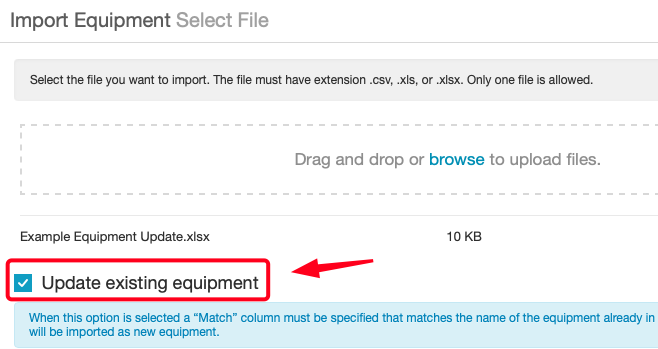
This will open the Import window where you can upload the spreadsheet and enable the 'Update existing equipment' option to allow the import to update records instead of creating new ones:
During the mapping step after enabling this option, you can set the 'Original Name' column to 'Import as Match' and the 'Updated Name' to 'Import as Name':
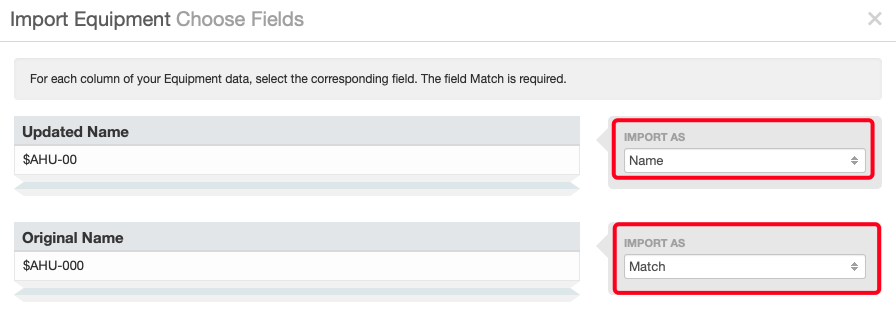
This will allow the Import tool to find the equipment based on their original name and then update their names using the values in the Updated Name column.